 landing.fyi
Upload guide
GRT Avionics flight data log — export & score every landing
GRT keeps no flight log of its own, so two things have to happen before you fly: enable the USB Flight Data Logger and have a USB drive plugged in. Then pull the drive afterwards and upload the .csv to landing.fyi — every landing scored 0–100.
Covers: Sport/Horizon EX, Horizon HXr / HX, Sport/Horizon 10.1, Mini
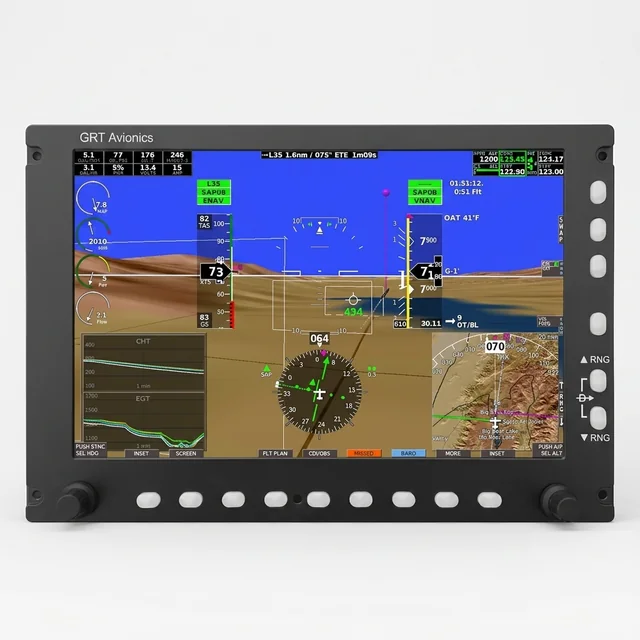
1) Turn on the USB Flight Data Logger — before you fly
GRT avionics have no internal flight memory. They record only to a USB stick, and only when their logger is switched on — so unlike most glass, this is a before-the-flight action. Miss it and the flight records nothing.
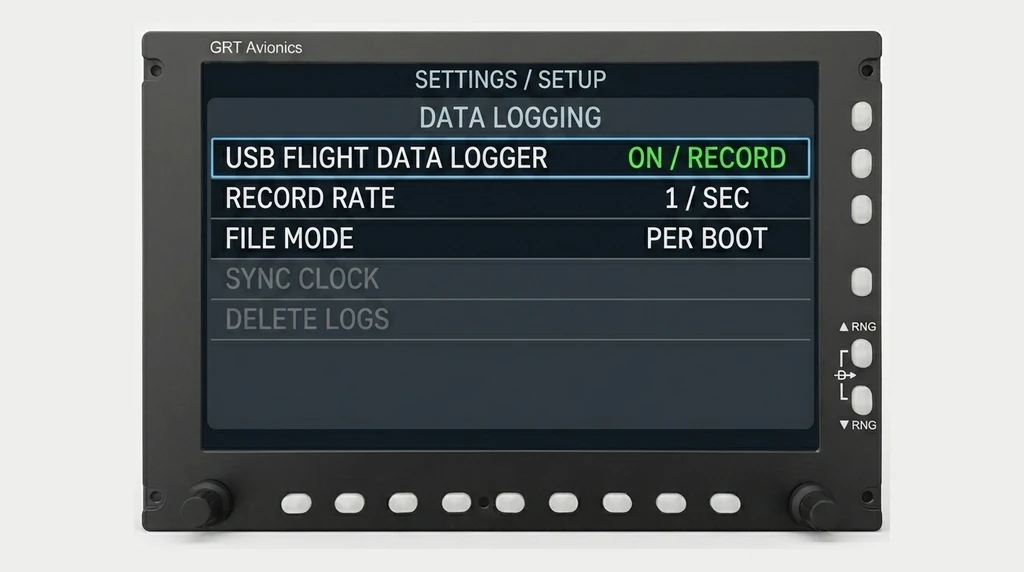
- In the GRT setup menus, switch on the USB Flight Data Logger — some firmware labels it the Black Box feature — and set it to record.
- Leave the record rate at its default (1 Hz) or faster. A slower rate skips seconds and blurs the touchdown.
- Choose a per-boot file (e.g.
GRT FDL ####.CSV) rather than the default single append file, so each flight lands in its own file.
2) Plug in a USB flash drive — at the rear port
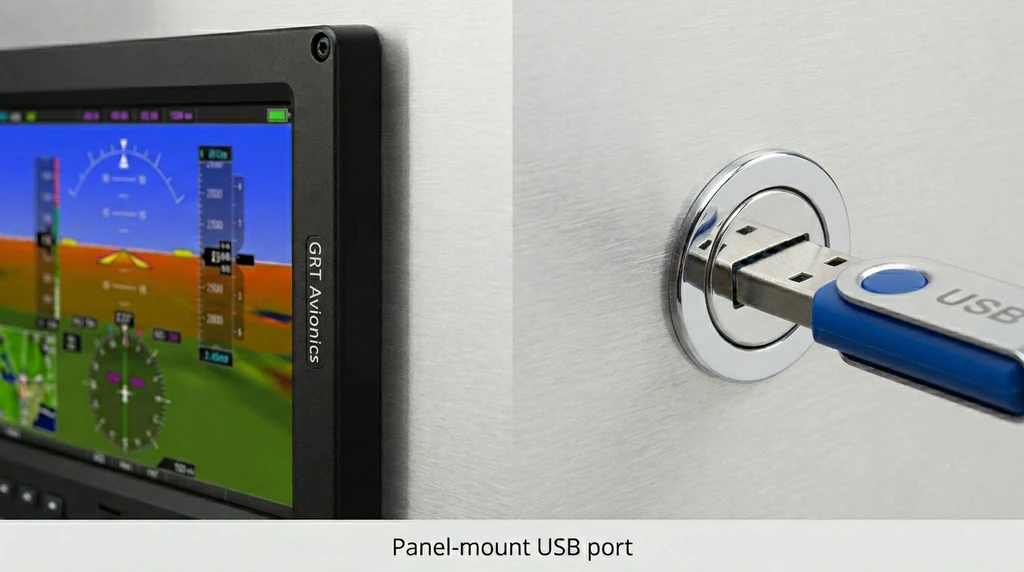
GRT logs to a USB flash drive, not an SD card. The port is on the rear of the display — there is no slot on the front of the screen. Most installs route a panel-mount USB extension cable to a reachable spot, so you plug into the end of that cable wherever your builder mounted it.
- Use a FAT-formatted USB flash drive. Most small drives already are — if yours won’t read, format it to FAT32.
- Plug it into a rear USB port — or the panel-mount USB outlet if your install has one. (Which port your model uses is in Which GRT do you have? below.)
- Leave it in and fly normally.
Need one? A 32 GB USB flash drive is in spec — FAT32, full-size USB-A. The Mini takes a Mini-USB drive (or GRT’s Mini extension cable) instead.
3) Pull the drive and upload it
Back on the ground, pull the USB drive out of the GRT (or off the panel-mount cable). On it you’ll find the GRT log:
- Look for
GRT Flight Data Logger.CSV, or per-boot files namedGRT FDL ####.CSV/GRT FDL YYYYMMDD HHMMSS.CSV. - The default single file (
GRT Flight Data Logger.CSV) appends every power-up, so it can hold several flights at once. The per-boot files keep them separate — either uploads fine.
On a computer
Plug the drive into a USB port and open it.
On a phone
A USB-C or Lightning adapter mounts the drive in the Files app — no app to install.
Grab every GRT Flight Data Logger.CSV file from the USB drive and upload them all at once — landing.fyi scores each flight and quietly ignores any duplicates, so it's safe to select the lot.
Which GRT do you have?
Every modern GRT avionics unit logs the same way — the USB Flight Data Logger
writes a flat .csv to a USB stick, so the steps above are identical across
the line. The only thing that differs is the rear USB port:
GRT Horizon HXr / HX / 10.1
Two full-size USB-A ports on the rear of the display — use either, or the panel-mount extension your installer routed.
GRT Sport SX / EX & Horizon EX
One rear full-size USB-A port — the same flat-file logger as the Horizon line.
GRT Mini
A rear Mini-USB port — use a Mini-USB stick or GRT’s Mini extension cable.
GRT flight data — FAQ
Which GRT avionics work with landing.fyi?
Any modern GRT that runs the USB Flight Data Logger: Horizon HXr, HX and 10.1; Sport SX, EX and Horizon EX; and the Mini. They all write the same flat log file to a USB stick, so the steps are identical. Only the older binary-log Horizon HS/WS use a different file.
Where is the USB port on GRT avionics?
On the rear of the display, never the front bezel. Horizon HXr/HX and 10.1 have two rear USB-A ports; Sport SX/EX have one; the Mini uses a rear Mini-USB. Most installs route a panel-mount USB extension cable to a reachable spot, so you plug into the end of that cable wherever your builder mounted it.
My GRT recorded nothing — why?
GRT has no internal flight memory. It only logs when the USB Flight Data Logger is switched on in setup AND a USB stick is plugged in — both before the flight. No stick or no logger means no data for that flight.
What file does a GRT log create?
A flat log file: GRT Flight Data Logger.CSV (a single file that appends every power-up, so it can hold several flights), or per-boot GRT FDL files. Upload whichever you find — landing.fyi scores each landing and ignores duplicates.
Want feedback on your own landings?
landing.fyi scores every landing 0–100 from your avionics log — approach, glidepath, centerline, flare, firmness. Find your greaser.
Get your landing score →Free. Your logs stay private — already have an account? Log in
As an Amazon Associate, landing.fyi earns from qualifying purchases.