 landing.fyi
Upload guide
Garmin G5 flight data log — export & score every landing
Slide a microSD card in, switch G5 logging on once in config mode, then upload the .csv to landing.fyi — every landing scored 0–100.
Covers: G5 PFD/HSI (certified + experimental)
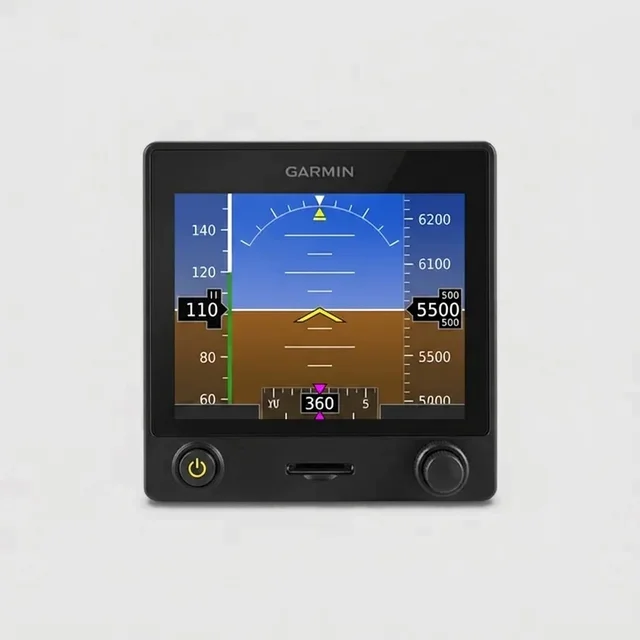
1) Insert your microSD card
- Use a microSD card 32 GB or smaller, formatted FAT32. A larger card reports “data card not supported.”
- Slide it into the slot on the bezel face, just below the screen, gold contacts down, until it sits flush.
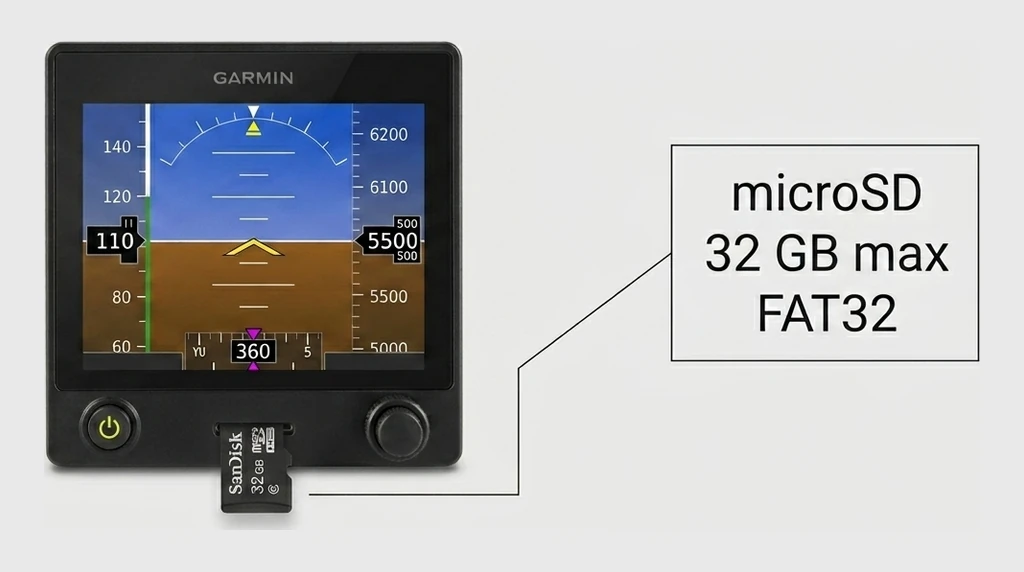
Need one? A 32 GB microSD card is in spec — anything 32 GB or smaller works. If a card won’t read, format it to FAT32.
2) Switch on data logging
The G5 doesn’t log until you turn it on — a one-time setting in configuration mode. With the card already in:
Enter configuration mode: push and hold the knob in while you power the G5 on, then release once it opens in config mode (a dark text menu, not the attitude display).
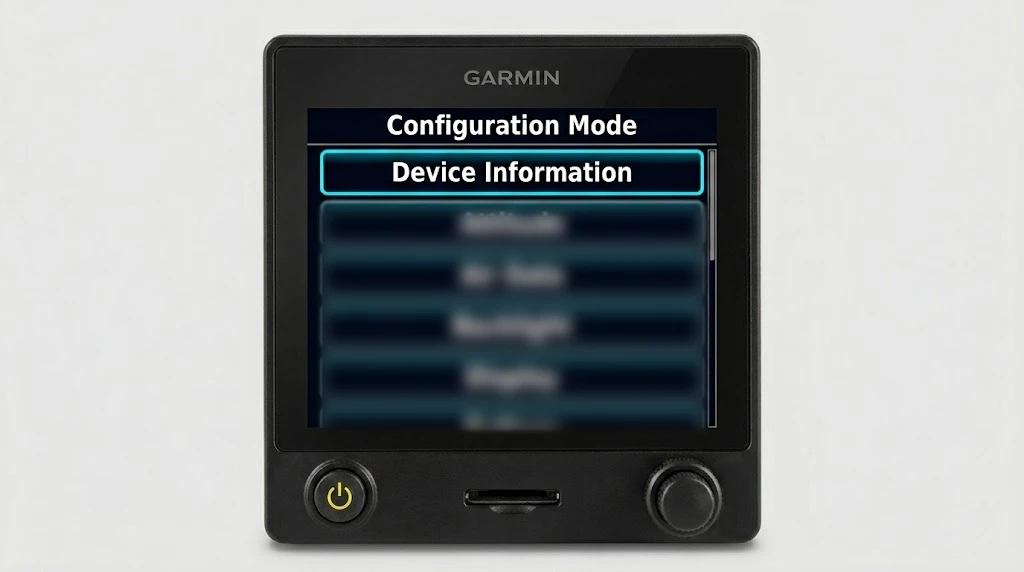
Then navigate — turn the knob to highlight a row, push it to select:
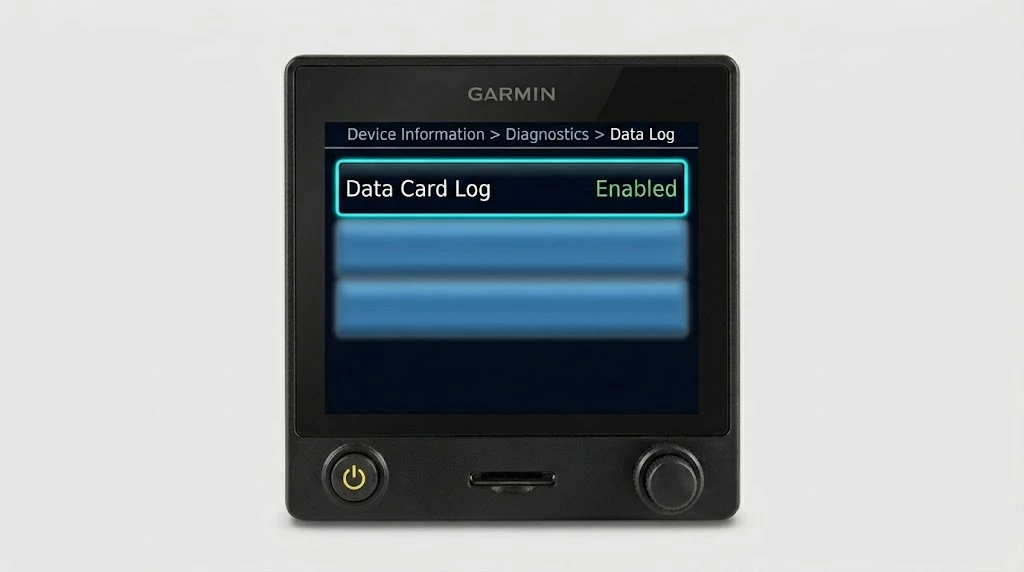
- Open Device Information → Diagnostics → Data Log.
- Set Data Card Log to Enabled.
- Exit configuration mode and power off. Power on normally — the G5 now logs every flight to the card.
3) Fly, then offload and upload
Go fly a few landings — the G5 logs each one to the card on its own. Back on the ground:
- Press the card to release it and pull it from the bezel slot.
- Read it (below) and grab DATA_LOG.CSV — the G5 writes one growing log file.
On a computer
Put the microSD card in an SD or USB reader and open it.
Grab DATA_LOG.CSV from the microSD card and upload it — landing.fyi scores every landing in it.
Want feedback on your own landings?
landing.fyi scores every landing 0–100 from your avionics log — approach, glidepath, centerline, flare, firmness. Find your greaser.
Get your landing score →Free. Your logs stay private — already have an account? Log in
As an Amazon Associate, landing.fyi earns from qualifying purchases.