 landing.fyi
Upload guide
Garmin G1000 flight data log — export & score every landing
Your Garmin G1000 already logs every flight to the SD card — confirm it's recording, pull the .csv files, and upload them to landing.fyi — every landing scored 0–100.
Covers: G1000, G1000 NXi, Cirrus Perspective / Perspective+, G3000
1) Confirm logging is on
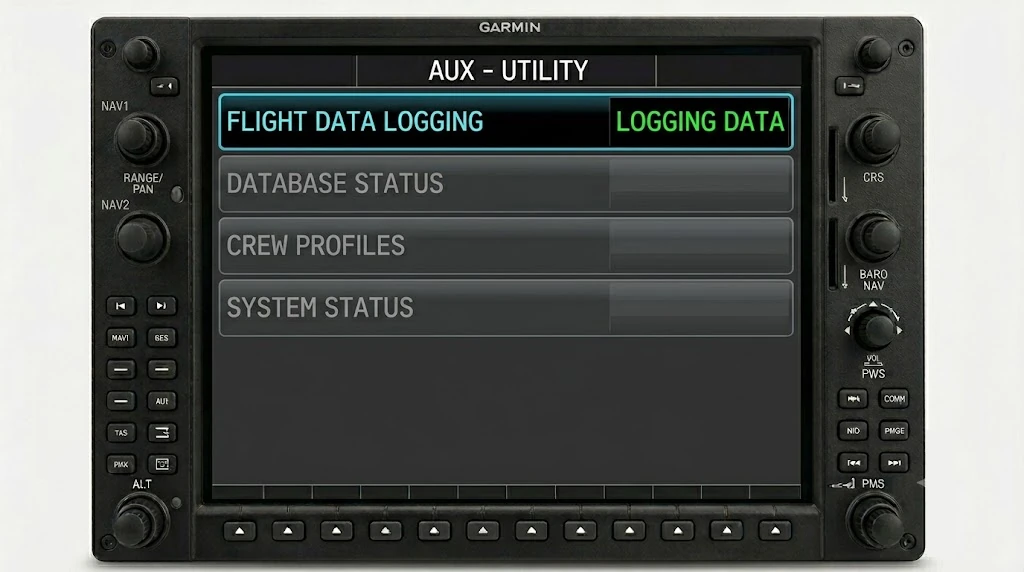
On the G1000, NXi, Perspective and G3000, logging is automatic — there's no toggle to flip, you just confirm it's recording:
- With an SD card in the top card slot of the MFD, power up.
- Turn the large FMS knob (lower-right of the bezel) to the AUX page group.
- Turn the small FMS knob to the UTILITY page — the header reads AUX – UTILITY.
- Read FLIGHT DATA LOGGING: “LOGGING DATA” means it's recording. “NO CARD” means reseat the card in the top MFD slot and recheck.
On the G3000 the controls are touchscreen: from Home on the GTC, tap Utilities for the same status.
2) Insert your SD card and fly
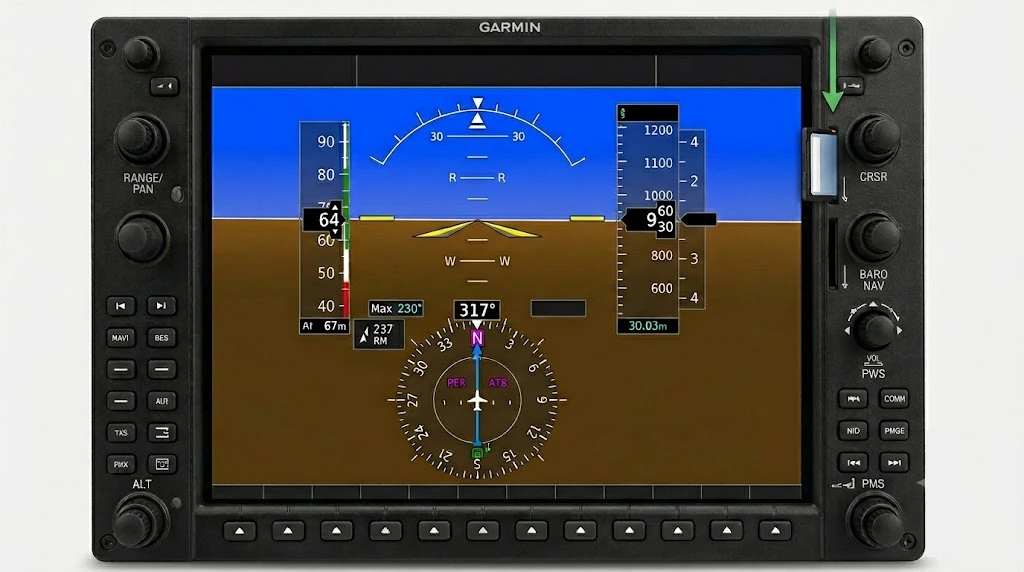
- Use a standard full-size SD card, up to 32 GB, formatted FAT32. If it doesn't read, format it to FAT32.
- Insert it into the top card slot of the MFD — wrong slot, no log.
- Fly normally — the G1000 writes the whole flight on its own, one
.csveach time you power up.
Need a card? A 32 GB SD card is plenty — one flight is a few hundred MB.
3) Offload and upload
- After shutdown, remove the SD card from the top MFD slot.
- Read it (below) and open the
data_logfolder — one.csvper flight, namedlog_YYMMDD_HHMMSS_IDENT.csv(each power-cycle writes its own).
On a computer
Put the SD card in an SD or USB reader and open it.
Grab every log_*.csv file from the SD card and upload them all at once — landing.fyi scores each flight and quietly ignores any duplicates, so it's safe to select the lot.
Want feedback on your own landings?
landing.fyi scores every landing 0–100 from your avionics log — approach, glidepath, centerline, flare, firmness. Find your greaser.
Get your landing score →Free. Your logs stay private — already have an account? Log in
As an Amazon Associate, landing.fyi earns from qualifying purchases.